 Tools for Growth
Stop guessing. Start managing your business.
The Business Owner's Command Centre puts your sales, stock, customer payments, expenses and profit in one organized place. You type what happens; the workbook does the maths.
One-time payment · instant download · secure checkout on Selar
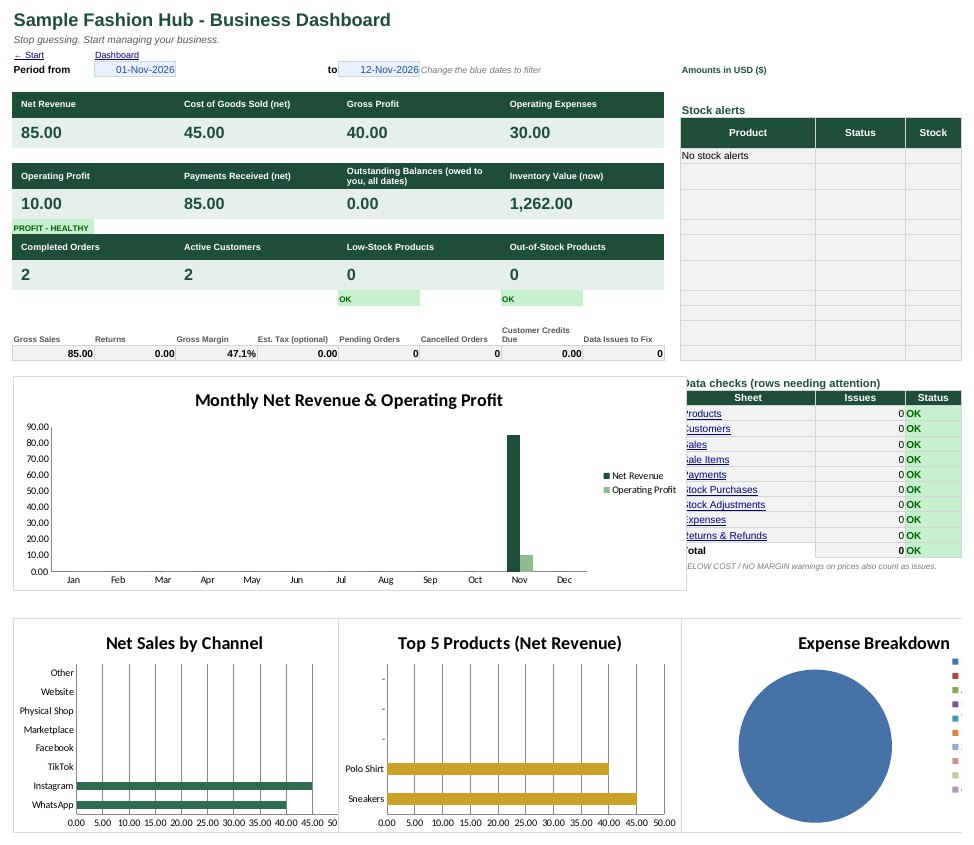
You're busy selling, but the numbers don't add up
"I sold a lot. Where's the money?"
Sales live in WhatsApp chats and DMs, so you never see your real profit after costs.
"Do I still have that in stock?"
Stock lives in your head until a customer pays for something you've already sold out of.
"Who still owes me?"
Part-payments and instalments get lost in a notebook, and following up feels awkward.
One workbook, 17 connected sheets
Everything links together. Record a sale once and your stock, customer balance, profit and reports all update.
See your real profit at a glance
The dashboard shows net revenue, cost of goods sold, gross and operating profit, payments received and money owed to you, for any date range you choose.
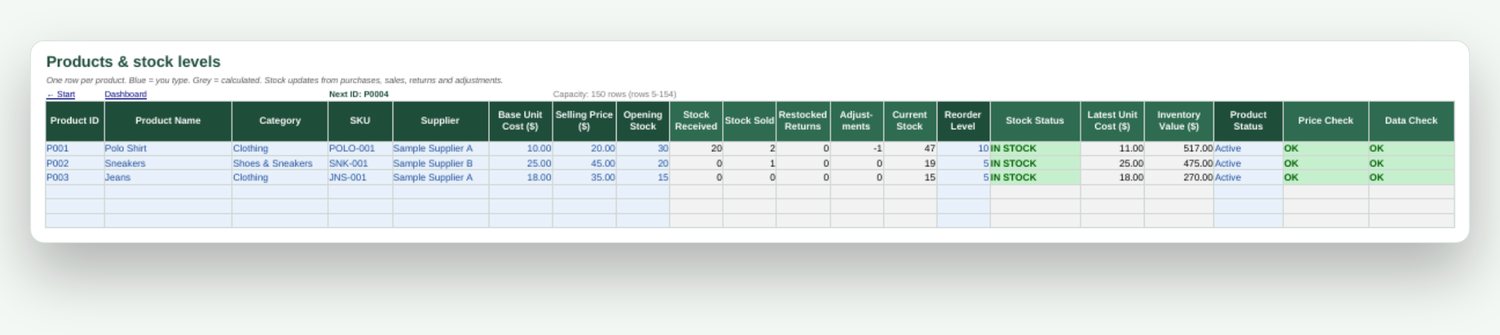
Know exactly what's in stock
Stock updates from purchases, sales, returns and adjustments. Products are flagged LOW STOCK or OUT OF STOCK, and prices below cost are flagged too.
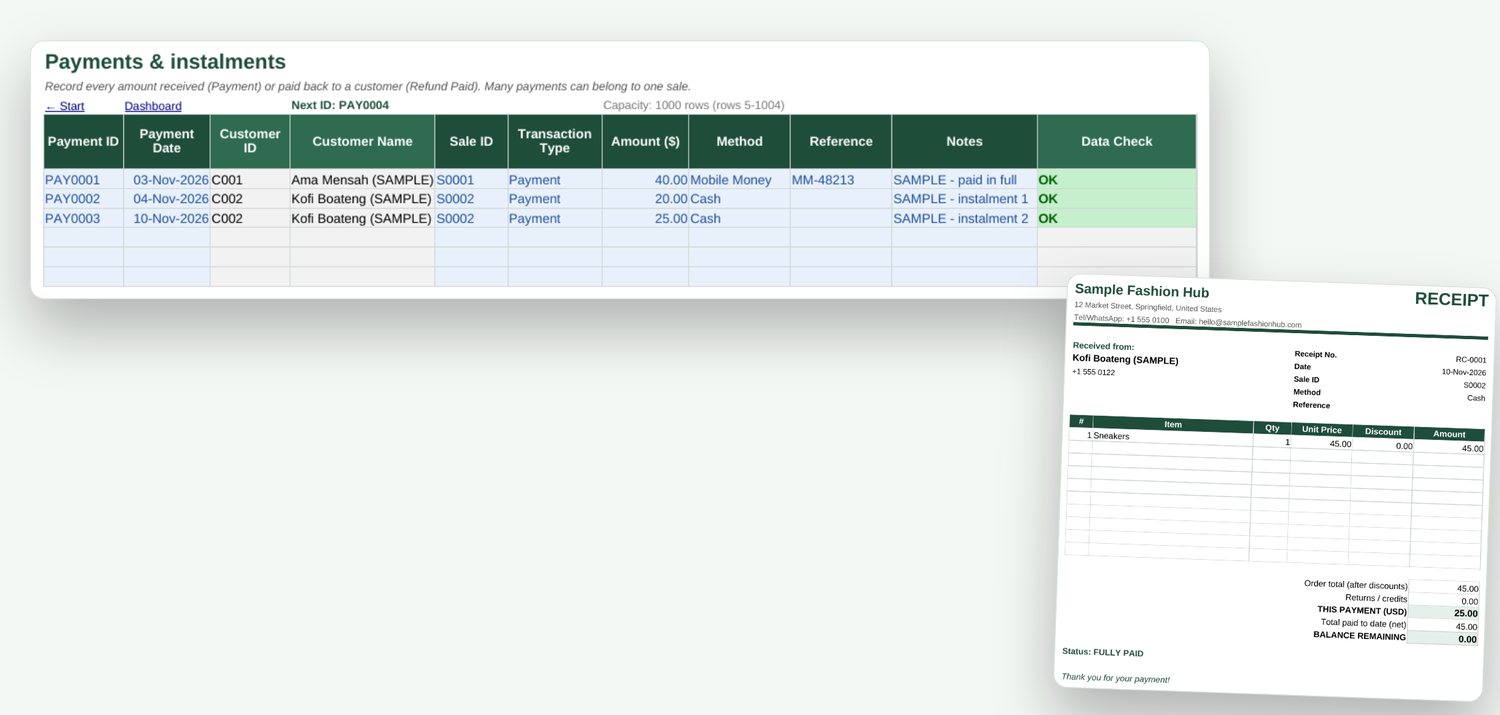
Track instalments and who owes you
Record each payment as it comes in. Every order shows PAID, PART-PAID or UNPAID, and the reports list your 10 biggest balances with phone numbers so you can follow up.
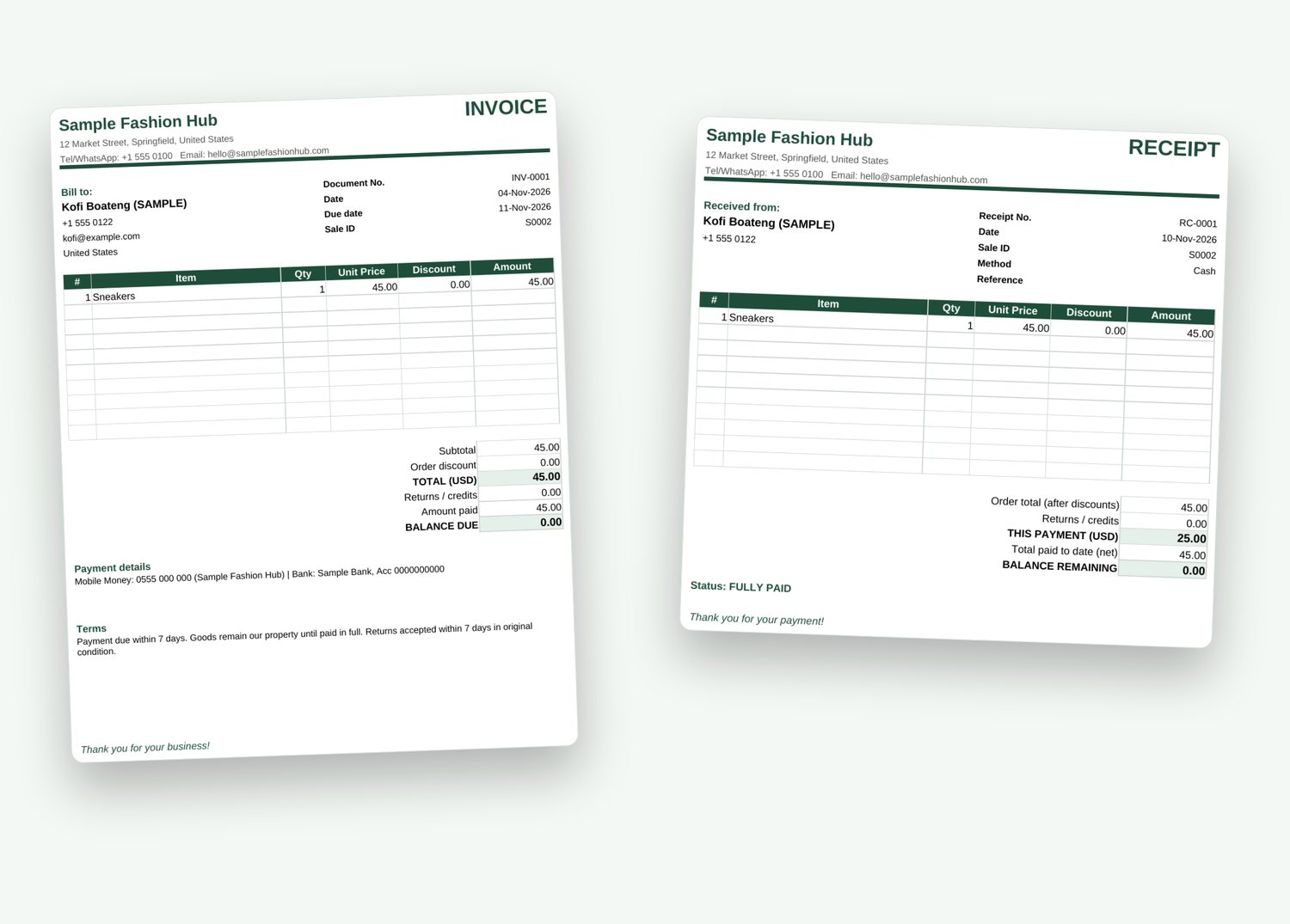
Professional invoices and receipts
Enter a Sale ID and the invoice or receipt fills itself in. Quotations work too, plus a supplier purchase order template. Print or save as PDF.
Reports that answer real questions
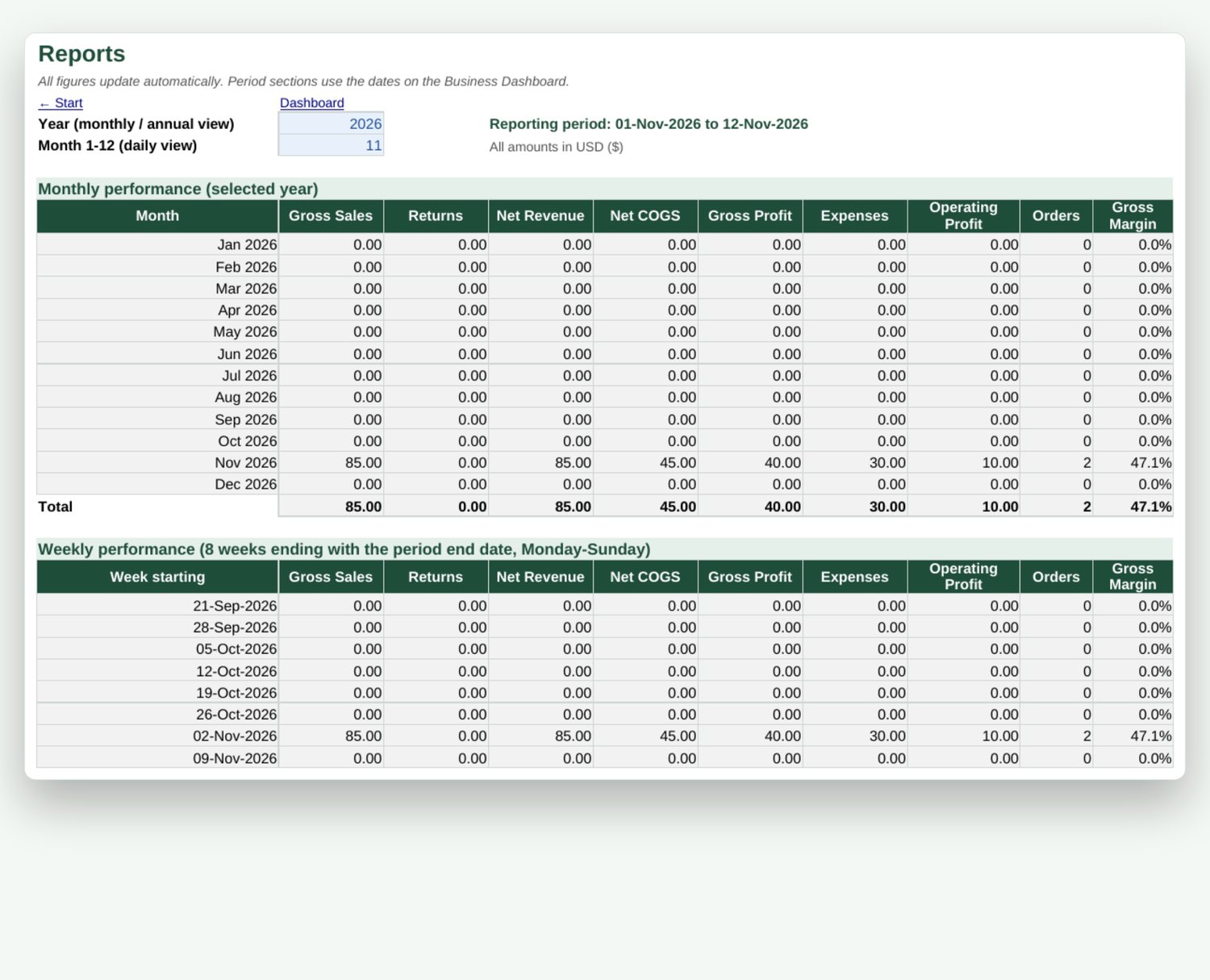
Daily, weekly, monthly and yearly performance; best sellers and slow movers; sales by channel; where your expenses go; and how customers pay you.
Up and running in 15 minutes
Add products
Cost, selling price and the stock you have today.
Record sales
The order, then the products sold, from any channel.
Log payments
Full payments, part-payments or instalments.
Read your numbers
Profit, stock alerts and balances update instantly.
Built the way a careful accountant would think
- Stock you buy is never counted as an expense. Its cost counts only when you sell.
- Old sales keep their original cost, even when your supplier's price changes later.
- Pending and cancelled orders don't inflate your sales.
- Returns reverse the sale correctly, and refunds are never double-counted.
- Duplicate IDs, missing records, negative stock and overpayments are flagged in plain words.
- 32 automated test scenarios passed before release.
Everything in one download
| File | What it is |
|---|---|
| Command Centre workbook | SAMPLE edition (example fashion business) and BLANK edition |
| User Guide (PDF) | 24 pages, every sheet explained with screenshots |
| Quick Start (PDF) | Set up your business in 10 to 15 minutes |
| Document templates | Invoice, quotation, receipt and purchase order (Excel and printable PDF) |
Made for
- Clothing, shoes, sneakers, bags and jewellery sellers
- Beauty, skincare and perfume sellers
- Electronics and accessories resellers
- WhatsApp, Instagram, TikTok and Facebook sellers
- Marketplace vendors and small shops
Not for you if you need
- Bank syncing or automatic imports from WhatsApp or marketplaces
- Several people editing at the same time
- Tax filing, payroll or formal accounting software
- More than 500 orders per workbook (start a fresh copy each year)
Questions, answered
Do I need to know Excel formulas?
No. You only type into the blue cells; every grey cell calculates itself. The Quick Start guide walks you through setup.
What do I need to use it?
Microsoft Excel 2010 or later on Windows or Mac is recommended. It also opens in LibreOffice Calc. It's designed for a computer; the Excel phone app is fine for quick entries.
Does it work in Google Sheets?
It was built and tested for Excel and LibreOffice. Google Sheets wasn't tested, so we can't guarantee charts or sheet protection there.
Can I use my own currency?
Yes. Set your currency code and symbol (for example GHS / GH₵, NGN / ₦, GBP / £) in Settings. The workbook doesn't convert between currencies.
Can it handle customers who pay in instalments?
Yes. Record each instalment as a separate payment. The order shows PART-PAID until it's fully paid.
How many products and orders can it hold?
150 products, 300 customers, 500 orders, 1,000 order lines and 1,000 payments per workbook. These limits were tested at full capacity.
How do I get it after paying?
Checkout is handled by Selar. You get a download link immediately after payment, and by email.
Will it do my taxes?
No. There's an optional estimated tax percentage for a rough figure only. Speak to a qualified professional about tax.
Know your numbers by this weekend
Instant download. One-time payment. Yours to keep.
An organisational tool, not accounting, tax, legal or financial advice. You are responsible for accurate data and backups.